

Complete Restaurant ERP
- Home
- Complete Restaurant ERP
Run Your Restaurant With One Connected ERP
Manage POS, orders, kitchen operations, recipes, inventory, purchasing, sales, and business performance through a ready-to-use restaurant ERP platform.
POS • Orders • Kitchen • Recipes • Inventory • Purchasing • Sales • Customers • Analytics
Years of Experience
Projects Delivered
ERP Experts
Countries Served
One Order Can Affect Your Entire Restaurant
A restaurant transaction doesn't stop at the counter.
When a customer places an order, it can trigger kitchen preparation,
ingredient consumption, inventory changes, billing, and business reporting.
When these processes are disconnected, teams spend more time coordinating
data and management gets less visibility into what's actually happening.
Restaurant Management ERP connects these activities through one operational workflow.
Defines Ingredients
MANAGEMENT
Sees Business Data
Everything You Need to Manage Your Restaurant
Bring your front-of-house, kitchen, inventory, procurement, and business operations together.
Manage Every Order With Greater Control
- POS Management
- Dine-in Orders
- Takeaway Orders
- Table Management
- Order Management
- Discounts
- Taxes
- Payments
- Returns
- Customer Orders
- Order History
Keep Orders Moving From Counter to Kitchen
- Kitchen Orders
- Order Queues
- Preparation Status
- Kitchen Stations
- Order Prioritization
- Preparation Tracking
- Completed Orders
- Kitchen Reports
Understand What Goes Into Every Dish
- Recipe Management
- Ingredient Mapping
- Recipe Quantities
- Portion Management
- Recipe Costing
- Ingredient Consumption
- Food Cost Analysis
- Menu Item Costing
- Menu Profitability
Keep Ingredients Available Without Losing Stock Control
- Ingredient Inventory
- Stock Management
- Purchase Orders
- Supplier Management
- Stock Transfers
- Reordering
- Stock Adjustments
- Batch / Lot Tracking
- Expiry Tracking
- Wastage Management
- Stock Verification
Turn Restaurant Transactions Into Customer Insights
- Customer Management
- Customer History
- Sales Management
- Customer Segmentation
- Loyalty Programs
- Discounts & Offers
- Feedback
- Sales Analysis
See the Bigger Picture Behind Your Restaurant
- Sales Reports
- Purchase Reports
- Expense Management
- Payment Tracking
- Outlet Reports
- Cost Analysis
- Revenue Analysis
- Business Dashboards
- Accounting Integration
Know What Every Dish Really Costs
The selling price of a dish is only one part of its profitability. Ingredient prices, recipe quantities, portion sizes, and wastage can all affect your actual food cost.
Restaurant ERP connects recipes, ingredients, inventory, and costing to help you understand the cost of each menu item and make better decisions about pricing, purchasing, and menu performance.
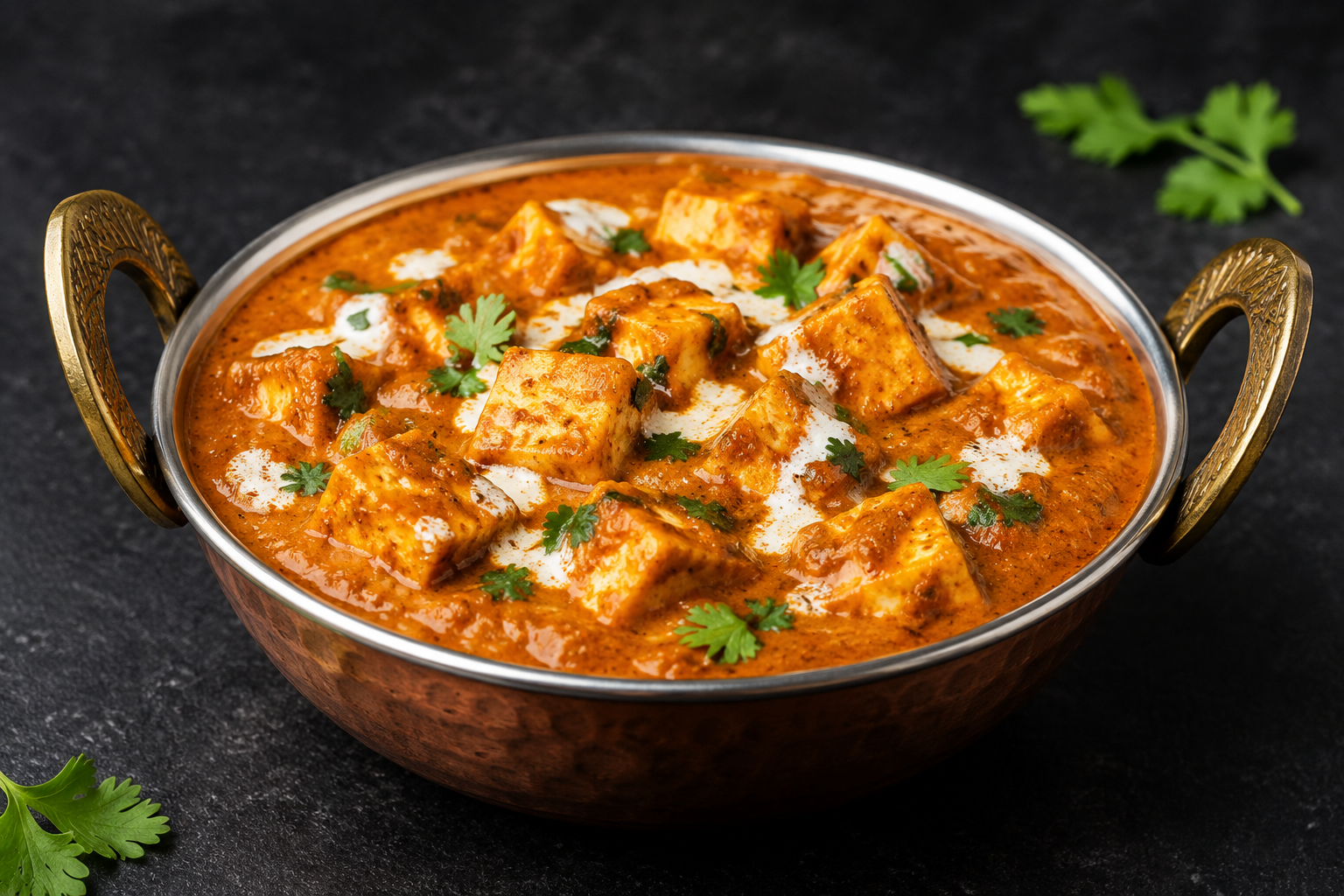
Paneer Butter Masala
Vegetarian • Main Course • 1 Portion
Paneer Butter Masala
What You Can Manage
Standardize Recipes
Maintain consistent ingredients, quantities, portions, and preparation standards across your restaurant.
Monitor Food Cost
Connect recipe and ingredient information with inventory and purchase costs for better food-cost visibility.
Improve Menu Decisions
Compare recipe costs with selling prices to understand menu-item contribution and make better pricing decisions.
From recipe to revenue, understand the numbers behind every dish.
Keep Every Restaurant Order Moving
From the moment an order is placed to the moment it is completed, multiple teams and processes are involved. Restaurant ERP connects order management, kitchen operations, billing, and inventory so your teams can work with consistent operational information throughout the order lifecycle.
ORDER
Capture dine-in, takeaway, and other supported orders.
→POS
Manage items, pricing, discounts, taxes, and payments.
→KITCHEN
Send orders to the kitchen and manage preparation requirements.
→PREPARATION
Track order progress from preparation to completion.
→READY
Keep completed orders visible and ready for service.
→BILLING
Generate the bill and record the customer's payment.
RECIPE
Defines the ingredients and quantities required for each menu item.
INGREDIENT CONSUMPTION
Connect menu-item sales with the ingredients used.
INVENTORY
Update stock information and provide visibility into consumption.
Sales • Inventory • Costs • Orders • Customer Information • Performance
One order creates connected data across your restaurant. Restaurant ERP keeps it together.
Know What You Buy, What You Use & What You Waste
Restaurants deal with constantly changing ingredient
requirements, frequent purchases, stock movement,
consumption, and wastage.
Restaurant ERP connects purchasing and inventory
operations with restaurant consumption, helping your
team maintain better visibility over ingredients,
stock levels, and wastage.
01 — Purchase
02 — Receive
03 — Store
04 — Consume
05 — Wastage
06 — Reorder
Create and manage ingredient purchases from your suppliers.
Record incoming quantities and update available stock.
Maintain visibility across restaurant stores, warehouses, and locations.
Track ingredient usage through restaurant operations and menu consumption.
Record wastage, spoilage, damage, and stock differences.
Use stock visibility to identify replenishment requirements.
SEE WHERE YOUR INVENTORY GOES
What You Can Monitor
Stock Levels
Know what ingredients are available across your locations.
Consumption
Understand how inventory is being used across restaurant operations.
Wastage
Track losses and identify areas that require attention.
Purchasing
Maintain better visibility into supplier purchases and replenishment requirements.
Better inventory visibility helps your team control what comes into the restaurant, what gets consumed, and what leaves as waste.
MULTI-OUTLET MANAGEMENT
Manage Every Restaurant Location From One Place
Manage Every Restaurant Location From One Place
Running multiple outlets means managing different teams,
sales, inventory, purchasing, and daily operations across
locations.
Restaurant ERP brings your outlets together on one platform,
giving management centralized visibility while allowing each
location to manage its own day-to-day operations.
ONE PLATFORM. MULTIPLE OUTLETS.
HEAD OFFICE
Central Management
Sales • Inventory • Purchasing • Reports
OUTLET 01
OUTLET 02
OUTLET 03
Each outlet manages its own:
POS • Orders • Kitchen • Inventory • Sales
CONSOLIDATED BUSINESS VIEW
Sales • Orders • Inventory • Costs • Outlet Performance
Manage at the Outlet. Monitor at the Center.
Outlet-Level Operations
Give each location the tools and information it needs to manage daily restaurant activities.
Centralized Visibility
Bring sales, inventory, purchasing, and operational information together for management.
Multi-Location Insights
Compare outlet performance and identify trends across your restaurant network.
One connected platform for every location, with the visibility to manage your restaurant business as a whole.
See How Your Restaurant Is Performing
Restaurant ERP brings sales, orders, inventory, purchasing,
food-cost, wastage, and outlet information together to give
management a clearer view of business performance.
Monitor key restaurant metrics from one place and use
connected business data to understand what is happening
across your operations.
SEE THE NUMBERS THAT MATTER
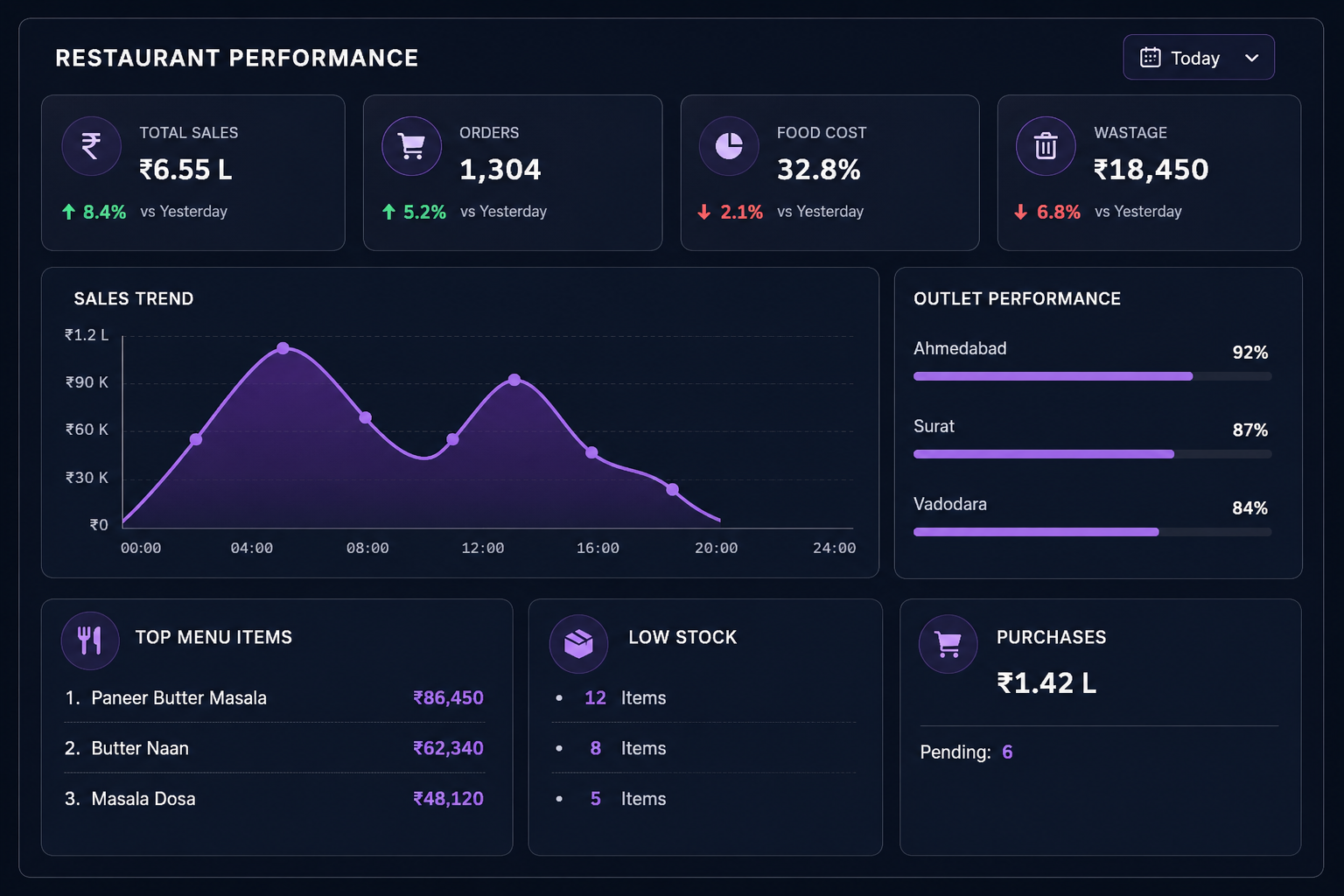
Sales Performance
Track sales trends across different periods and restaurant locations.
Order Performance
Monitor order volumes and understand changes in customer demand.
Food Cost
View food-cost information and understand how ingredient and recipe costs affect menu performance.
Inventory
Monitor stock levels, consumption, and items requiring attention.
Wastage
Track recorded wastage and identify areas where inventory losses need attention.
Purchasing
View purchasing activity and pending procurement requirements.
Outlet Performance
Compare key business metrics across multiple restaurant locations.
Menu Performance
Understand which menu items are contributing to sales and overall restaurant performance.
ANSWER THE QUESTIONS THAT MATTER
MORE THAN REPORTS Turn connected restaurant data into clearer business visibility.
Connect Your Restaurant to the Tools You Already Use
Modern restaurants operate across multiple channels — in-store
orders, online ordering, digital payments, delivery platforms,
accounting, customer communication, and more.
Restaurant ERP can connect with relevant external systems to bring
these activities closer together and reduce unnecessary manual
data entry between platforms.
Payment Integrations
Connect supported payment gateways and payment methods for smoother payment processing and transaction tracking.
Online Ordering
Bring orders from supported websites, portals, apps, and digital ordering channels into your restaurant operations.
Delivery Platforms
Connect with supported food delivery and logistics platforms to synchronize order and delivery-related information.
Accounting & Finance
Connect restaurant sales, payments, taxes, and other relevant financial information with your accounting systems.
WhatsApp, SMS & Email
Connect supported communication services for order updates, payment notifications, customer messages, and operational communication.
APIs & Other Systems
Connect Restaurant ERP with other applications, services, and business tools through APIs and suitable integration methods.
ONE RESTAURANT ERP. MULTIPLE CONNECTED CHANNELS.
Connect the channels. Keep the data together.
Integration availability depends on the platform, provider, and implementation requirements.
A Ready Restaurant ERP Built for Everyday Operations
Restaurant ERP brings the essential tools for running restaurant
operations into one connected platform — from orders and kitchen
operations to recipes, inventory, purchasing, payments, and
business insights.
With 4devnet's ERP and technology expertise, you get a ready
product backed by implementation, integration, and ongoing support.
Start With a Ready Restaurant ERP
Get a product with core restaurant capabilities already in place, rather than starting an ERP project from scratch.
Built Around Restaurant Operations
Manage everyday workflows such as orders, kitchen operations, ingredient consumption, food costing, inventory, and billing through a restaurant-focused platform.
Adapt the Product to Your Setup
Configure menus, products, pricing, taxes, users, permissions, warehouses, outlets, workflows, and reports according to your operational requirements.
Work With Your Existing Tools
Connect Restaurant ERP with supported payment gateways, online ordering, delivery platforms, accounting systems, communication services, and other applications through available integrations and APIs.
Know What Is Happening Across Your Restaurant
Bring sales, orders, inventory, food costs, wastage, purchasing, and outlet information together to give management better business visibility.
Get Help Beyond the Product
Get assistance with product setup, configuration, data migration, integrations, testing, user training, go-live, and ongoing support.
READY PRODUCT. FLEXIBLE SETUP. EXPERT SUPPORT.
A restaurant ERP you can start with today and extend as your business grows.
From Product Demo to Restaurant Operations
Restaurant ERP is ready to help you bring your restaurant operations into one connected system.
Our team helps you understand the product, configure it for your business, connect the required systems, and get your team ready to use it.
Understand Your Setup
We understand your restaurant operations, outlets, users, menu structure, inventory, and business requirements.
Set Up Your Restaurant ERP
Configure the ready product around your menus, pricing, taxes, users, permissions, workflows, outlets, and operational requirements.
Bring Your Systems Together
Set up required payment, ordering, delivery, accounting, communication, or other supported integrations.
Get Your Team Running
Complete testing, user training, data migration where required, deployment, and go-live support.
Need Help After Go-Live?
Get ongoing product support, issue resolution, assistance with integrations, and improvements as your restaurant operations evolve.
Ready to see Restaurant ERP in action?
Everything You Need to Know About Restaurant ERP
FREQUENTLY ASKED QUESTIONSRestaurant ERP is a centralized platform for managing restaurant operations including POS, orders, kitchen operations, recipes, inventory, purchasing, billing, payments, and business reporting.
Restaurant ERP can be used by restaurants, cafés, QSRs, cloud kitchens, food outlets, and multi-location restaurant businesses, depending on their operational requirements.
Yes. It can manage order processing, menu items, pricing, discounts, taxes, billing, and payment recording through the restaurant's POS operations.
Yes. Restaurant ERP connects customer orders with kitchen operations, helping teams receive orders, track preparation, and manage order status through completion.
Yes. Recipes can be defined with their ingredients and quantities, allowing businesses to track ingredient consumption and calculate the cost associated with menu items.
Yes. It can help track purchases, received stock, inventory levels, ingredient consumption, wastage, stock movement, and replenishment requirements.
Yes, where multi-outlet functionality is enabled, businesses can manage individual outlet operations while maintaining centralized visibility of sales, inventory, purchasing, and performance.
Yes. Restaurant ERP can be connected with supported payment gateways and payment services. Available integrations depend on the provider and implementation requirements.
Yes, supported online ordering, delivery, and external platforms can be connected through available integrations or APIs, depending on the platform and business requirements.
Yes. Restaurant ERP can connect with relevant accounting, communication, ordering, payment, and other external systems through supported integrations or APIs.
Yes. The ready product can be configured for menus, pricing, taxes, users, permissions, outlets, inventory locations, workflows, and other operational requirements. Additional customization can be considered where required.
Yes. 4devnet can assist with product configuration, data migration where required, integrations, testing, team training, go-live, and ongoing product support.
Bring Your Restaurant Operations Together
Manage orders, kitchen operations, recipes, inventory, purchasing, billing, and business insights through one connected Restaurant ERP. See how the product fits your restaurant and discuss your setup, outlets, integrations, and requirements with our team.
Restaurant ERP • POS • Kitchen • Recipes • Inventory • Purchasing • Analytics • Integrations