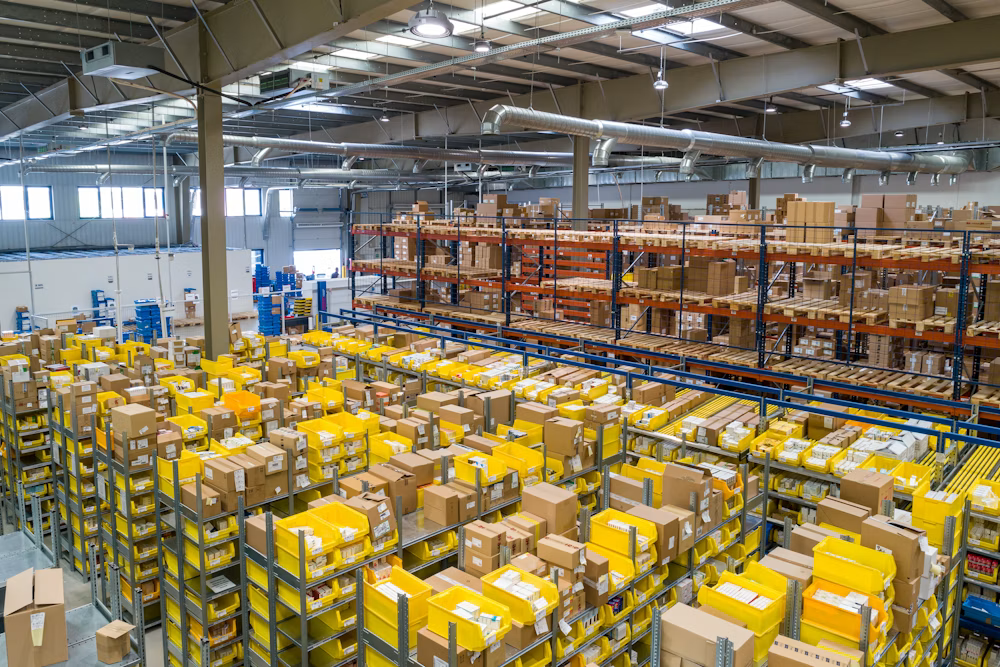

Growing Warehouses
Build Better Control as You Grow
Start with the warehouse capabilities you need today and expand as your inventory, orders, locations, and operational requirements increase.
Manage inventory, warehouse movements, receiving, picking, packing, dispatch, and stock operations from one connected platform.
Inventory • Receiving • Putaway • Picking • Packing • Dispatch • Stock Control
Warehouse operations involve dozens of daily movements—from receiving goods and putting them away to picking, packing, and dispatching orders. When these activities rely on manual processes or disconnected information, keeping inventory accurate and operations coordinated becomes difficult. WMS brings these activities together, giving your team a more organized way to manage inventory and warehouse operations.
Common Warehouse Challenges
Connected Warehouse Operations
Manage inventory, warehouse movements, order fulfillment, and day-to-day warehouse activities through one connected system.
Manage inventory, warehouse locations, stock movements, and adjustments while maintaining clear visibility across your warehouse network.
Better control and visibility across your inventory.
Manage the complete movement of inventory through a structured warehouse process—from receiving incoming goods to dispatching orders.
Record incoming products and verify received quantities against the relevant purchase or inbound transaction.
Assign received inventory to the appropriate warehouse, zone, rack, shelf, or bin.
Maintain clear visibility of inventory across warehouse locations and know where products are stored.
Create and manage picking activities so warehouse teams know what products are required for each order.
Move picked items through the packing process and prepare orders for shipment.
Complete dispatch activities and maintain the relevant stock and order movement information.
From receiving to dispatch, WMS gives your team a structured way to manage warehouse operations.
Every warehouse operates differently. Whether you manage a single location, multiple warehouses, high-volume inventory, or a growing operation, your WMS should adapt to your processes—not force you into a rigid way of working.
Growing Warehouses
Start with the warehouse capabilities you need today and expand as your inventory, orders, locations, and operational requirements increase.
Multi-Warehouse Operations
Maintain visibility of inventory and warehouse movements across multiple warehouses and locations.
High-Volume Warehouses
Create organized workflows for receiving, storage, picking, packing, and dispatch when warehouse activity increases.
Barcode-Driven Operations
Use barcode-based workflows to help warehouse teams identify products and record relevant warehouse activities more efficiently.
eCommerce & Fulfillment
Bring online orders into your warehouse workflow and connect inventory, picking, packing, and dispatch activities.
Businesses Moving Beyond Manual Processes
Move away from spreadsheets and disconnected processes toward a centralized system for managing warehouse operations.
Your WMS should not operate in isolation. Connect warehouse operations with the systems your business already uses to keep orders, inventory, reporting and automation working together.
Connect online orders with inventory, picking, packing and dispatch.
Exchange relevant inventory and order information with your existing business applications.
Inventory • Operations • Fulfillment
Bring warehouse data into Power BI for inventory, movement and operational performance reporting.
Automate repetitive warehouse activities and connect data between systems where required.
One warehouse operation. Connected data. Better business visibility.
Get a ready-to-use WMS designed around practical warehouse operations, with the flexibility to adapt as your business grows.
Start with a proven warehouse solution instead of building your system from scratch.
Configure workflows and processes around the way your warehouse actually works.
Adapt the system as your products, locations, orders and warehouse operations grow.
Connect with eCommerce, reporting, automation and other business systems when required.
Move from your existing warehouse processes to a structured WMS with a practical implementation approach and ongoing support when you need it.
We understand your warehouse processes, challenges and operational requirements.
We configure the WMS around your workflows, warehouses, locations and business requirements.
Your team gets the guidance and support needed to start using the system confidently.
Continue with support, improvements and enhancements as your warehouse operations evolve.
Put warehouse operations directly in the hands of your warehouse team. Use mobile devices and barcode scanning to identify products, verify quantities, and record warehouse activities as they happen.
Scan products, packages, or locations to quickly identify warehouse information.
Verify incoming products and record received quantities during goods receipt.
Scan source and destination locations when moving stock within the warehouse.
Scan products during picking to help warehouse teams select the right items for an order.
Verify picked items and prepare them for packing and shipment.
Complete the dispatch process while keeping inventory and order movements updated.
Every scan helps your team keep warehouse information aligned with what is happening on the floor
A Warehouse Management System (WMS) is software that helps businesses manage and optimize warehouse operations. It provides centralized control over inventory, receiving, putaway, picking, packing, dispatch, stock movements and warehouse activities.
The WMS can manage key warehouse processes including receiving, putaway, stock movements, picking, packing, dispatch, stock transfers, cycle counting and inventory adjustments.
Yes. The WMS can manage multiple warehouses and locations from a centralized system. Teams can track inventory availability and warehouse activities across different facilities.
Yes. Barcode scanning can be used for activities such as receiving, putaway, picking, internal transfers and dispatch. This reduces manual data entry and helps improve inventory accuracy.
Yes. The WMS can organize your warehouse into zones, racks, shelves, bins and other storage locations. This helps warehouse teams quickly identify where products are stored and where stock needs to be moved.
Yes. The WMS can connect with eCommerce and other business systems to help manage orders, inventory, fulfilment and dispatch information. This helps keep warehouse operations aligned with online sales.
Yes. Existing product, inventory and warehouse data can be migrated during implementation. Our team can help prepare, validate and import the required data into the WMS.
Yes. The WMS can be configured and customized according to your warehouse processes, business rules, workflows, reports and operational requirements.
Yes. WMS data can be connected with Power BI to create interactive dashboards and reports for inventory, order fulfilment, picking, warehouse activity and operational performance.
Yes. 4devnet provides implementation, configuration, customization, data migration, training and ongoing support to help your team get the most from the WMS.
Let's understand your warehouse operations and show you how a connected WMS can improve inventory visibility and everyday warehouse management.