
Visual FoxPro End of Life: What Businesses Must Do Now
Introduction
For more than two decades, Visual FoxPro has powered thousands of business-critical applications worldwide. Many organizations still rely on FoxPro systems for finance, inventory management, manufacturing operations, and customized ERP solutions developed years ago.
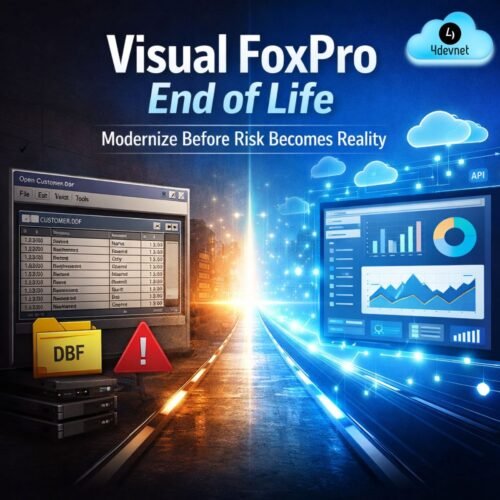
But in 2026, businesses must confront an unavoidable reality: Visual FoxPro is no longer a supported technology, and continuing to operate on it introduces growing operational, security, and scalability risks.
While many legacy applications continue to run, the absence of vendor support and modern compatibility means organizations are now operating on borrowed time. Companies that act proactively can modernize safely — while those that delay may face costly disruptions.
This article explains what Visual FoxPro End of Life means today, why it matters more than ever, and the strategic actions businesses should take in 2026.
What Is Visual FoxPro End of Life?
End of Life (EOL) refers to the stage when a software platform no longer receives official updates, technical support, or security maintenance from its vendor.
For Visual FoxPro, this means:
- No security patches or vulnerability fixes
- No compatibility updates for modern operating systems
- No performance improvements or enhancements
- No official technical assistance
Although existing applications may still function, unsupported software gradually becomes unstable as surrounding technologies evolve. Modern infrastructure, cloud environments, and operating systems are not designed to accommodate legacy architectures indefinitely.
In practical terms, businesses using FoxPro are maintaining systems that cannot adapt to the modern digital ecosystem.
Why Visual FoxPro Has Become a Serious Business Risk in 2026
1. Increasing Cybersecurity Exposure
Cybersecurity standards have evolved dramatically over the last decade. Unsupported platforms lack protection against modern attack methods, making them attractive targets for cyber threats.
Organizations operating legacy systems face risks such as:
- Data breaches and ransomware attacks
- Compliance failures during audits
- Limited compatibility with modern security tools
As regulatory expectations increase globally, legacy software can quickly become a liability rather than an asset.
2. Compatibility Challenges with Modern Windows Environments
Many FoxPro applications were designed for older operating systems and hardware environments.
Businesses increasingly encounter:
- Application instability after Windows updates
- Dependency on outdated machines or virtual environments
- Difficulty upgrading workplace infrastructure
This forces IT teams to maintain parallel environments — increasing operational complexity and maintenance costs.
3. Limited Integration with Modern Business Platforms
Modern enterprises depend on connected ecosystems that include:
- Cloud ERP platforms
- Web and mobile applications
- APIs and automation tools
- Business intelligence and analytics systems
Visual FoxPro was never built for API-driven or cloud-native architectures. As a result, companies struggle to integrate legacy applications with modern platforms, slowing innovation and digital transformation initiatives.
4. Disappearing Developer Expertise
A growing concern for organizations is the shrinking availability of skilled FoxPro developers.
Key challenges include:
- Limited new talent entering the ecosystem
- Retirement of experienced legacy developers
- Rising maintenance and support costs
This creates long-term sustainability risks, where even small system changes become difficult or expensive.
5. Performance and Scalability Limitations
Business data volumes and operational complexity have grown significantly since FoxPro’s peak usage era.
Common limitations include:
- 32-bit architectural constraints
- Database performance bottlenecks
- Difficulty supporting remote or distributed teams
Legacy systems often prevent businesses from scaling efficiently or adopting modern digital workflows.
Warning Signs Your Organization Should Modernize Now
If your business recognizes any of the following situations, modernization should become a strategic priority:
- Increasing downtime or system instability
- Difficulty integrating new software solutions
- Dependence on outdated infrastructure
- Rising maintenance costs year after year
- Plans to move toward cloud, automation, or advanced analytics
These indicators suggest the system is approaching operational risk territory.
What Businesses Must Do in 2026: A Practical Modernization Roadmap
Step 1: Conduct a Legacy System Assessment
Before modernization begins, organizations must understand what they currently have.
A structured assessment should identify:
- Core business logic and workflows
- Database structure and dependencies
- Critical integrations and reporting processes
- User workflows and operational dependencies
The goal is to preserve valuable business knowledge while eliminating technical limitations.
Step 2: Select the Right Modernization Strategy
Every organization’s path will differ based on system complexity and business goals.
Common approaches include:
Application Migration
Transform FoxPro applications into modern technologies such as .NET or web-based platforms.
Database Modernization
Move DBF databases into SQL-based environments to improve performance and reporting.
System Reengineering
Redesign applications using cloud-ready architecture for long-term scalability.
Step 3: Implement a Phased Migration Approach
Successful modernization rarely happens through sudden replacement.
A phased strategy allows organizations to:
- Reduce operational risk
- Maintain business continuity
- Validate improvements incrementally
Module-by-module migration often produces the most stable outcomes.
Step 4: Modernize Data and Reporting Capabilities
Data modernization is often the fastest way to generate business value.
Benefits include:
- Real-time reporting and dashboards
- Improved data governance
- Integration with analytics and AI tools
Modern databases unlock insights that legacy environments cannot efficiently deliver.
Step 5: Align Technology Upgrade with Business Strategy
Modernization should enable measurable business outcomes, including:
- ERP evolution and process automation
- Cloud adoption initiatives
- Improved customer and employee experiences
- Faster decision-making through analytics
Technology transformation should support growth — not simply replace old software.
Benefits of Moving Beyond Visual FoxPro
Organizations that modernize typically achieve:
- Stronger cybersecurity posture
- Improved operational efficiency
- Easier integrations with modern platforms
- Cloud scalability and remote accessibility
- Lower long-term maintenance costs
- Future-ready digital infrastructure
Modern application frameworks provide flexibility that legacy systems cannot match.
The Cost of Waiting Too Long
One of the most common mistakes businesses make is delaying modernization because the system still appears functional.
However, postponement increases risk because:
- Documentation disappears over time
- Knowledge leaves with employees
- Emergency migrations become unavoidable and expensive
Planned modernization is always less costly than crisis-driven replacement.
Conclusion: 2026 Is the Turning Point for FoxPro Users
Visual FoxPro played a significant role in enterprise software history, but today’s business environment demands secure, scalable, and integrated systems.
Organizations that begin modernization now can transition smoothly while protecting years of business logic and operational knowledge.
Those that delay risk disruption, rising costs, and competitive disadvantage.
The question is no longer whether to modernize — but how strategically you begin the journey.