

How Much Does It Cost to Build a React.js or Next.js Web Application?
If your business is planning a new web application, one of the first questions you are likely to ask is:
How much does it cost to build a React.js or Next.js web application?
It is a reasonable question, but there is no single price that applies to every project.
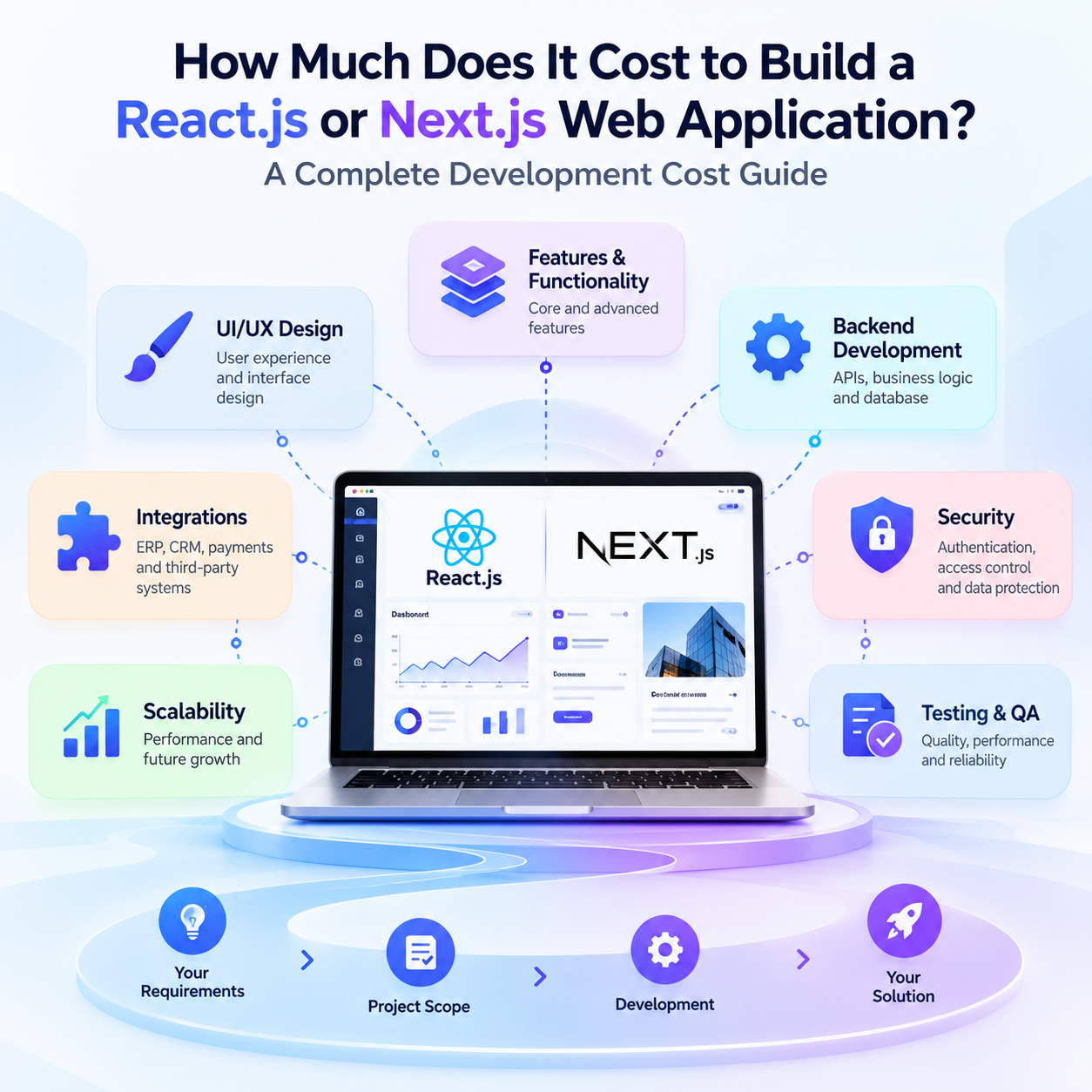
The cost of developing a web application depends on several factors, including the type of application, features, UI/UX requirements, backend development, integrations, security, scalability, testing, and ongoing support.
A simple internal business application can have very different requirements from a customer portal, SaaS platform, e-commerce application, or enterprise system.
React.js and Next.js are both powerful technologies for modern web development, but the technology itself is only one part of the overall project investment.
This guide explains the major factors that influence React.js and Next.js development costs, what a typical development budget may include, and how businesses can plan their project more effectively.
Is There a Fixed Cost for React.js or Next.js Development?
No.
Professional web application development is generally priced according to the project scope rather than simply the technology being used.
For example, two businesses may both request a React.js application, but their requirements could be completely different.
One application might need:
- Login
- Dashboard
- Basic forms
- Simple reports
Another might require:
- Multiple user roles
- Complex workflows
- Real-time updates
- Payment processing
- ERP integration
- Advanced reporting
- Notifications
- Document management
Both may use React.js, but the development effort can be significantly different.
That is why a meaningful estimate should be based on your business requirements, functionality, architecture, and integrations rather than the framework alone.
What Factors Determine the Cost of a Web Application?
Several factors influence the overall cost of developing a React.js or Next.js application.
1. Type of Web Application
The first question is what you are planning to build.
Different application types require different levels of functionality and development effort.
Business Applications
These applications are designed to manage internal processes, workflows, data, and operations.
Examples include:
- Business management systems
- Employee applications
- Operations dashboards
- Workflow platforms
- Reporting systems
Customer Portals
Customer portals allow users to log in and interact with your business.
They may include:
- Customer profiles
- Orders
- Invoices
- Documents
- Service requests
- Payments
- Notifications
SaaS Applications
SaaS platforms are used by multiple customers or organizations and can require more advanced architecture.
Common requirements include:
- Subscription management
- Multiple organizations
- User management
- Role-based permissions
- Billing
- Tenant management
- Administration features
E-commerce Applications
An e-commerce application may require:
- Product catalogs
- Shopping carts
- Checkout
- Payment integration
- Customer accounts
- Order management
- Inventory integration
- Shipping integration
Enterprise Applications
Enterprise applications can involve multiple departments, complex workflows, advanced permissions, extensive integrations, reporting, security, and scalability requirements.
Therefore, the type and scope of your application have a direct impact on development effort.
2. Features and Functionality
Features are one of the most important factors affecting development cost.
Consider a customer portal.
A basic version might have:
Login → Dashboard → Profile → Documents
An advanced version might include:
Login → Dashboard → Orders → Payments → Invoices → Support → Notifications → Reports → Documents
The second application requires more frontend development, backend logic, database work, API development, testing, and security.
A practical way to manage scope is to divide features into three categories:
Essential Features
Features that are required for the first release.
Important Features
Features that add value but can potentially be introduced after launch.
Future Features
Ideas that can be added as the application grows.
This approach allows businesses to launch faster without unnecessarily increasing the initial project scope.
3. UI/UX Design
The complexity of the user interface can also affect development effort.
A basic internal application may use a straightforward interface and standard components.
A customer-facing digital product may require:
- User research
- User journeys
- Wireframes
- Prototypes
- Custom UI design
- Responsive layouts
- Design systems
- Interactive elements
- Accessibility considerations
- Usability testing
Good UI/UX is particularly important when customers, employees, or partners will use the application regularly.
A well-planned interface can also reduce confusion and make complex business processes easier to manage.
4. User Roles and Permissions
Applications with multiple types of users generally require more sophisticated access control.
For example, an application may have:
- Super Administrator
- Administrator
- Manager
- Employee
- Customer
- Partner
Each role may have different permissions.
An administrator might have full access, while a customer may only be able to view their own information.
Implementing these permissions affects:
- Frontend development
- Backend logic
- Authentication
- Database design
- Security
- Testing
Defining user roles early can help avoid major changes later in the development process.
5. Backend and API Development
React.js and Next.js can provide the foundation for the web experience, but many applications also require backend development.
The backend may handle:
- Business logic
- Database operations
- Authentication
- Permissions
- APIs
- Notifications
- File management
- Payments
- Data synchronization
- Business workflows
If your business already has a backend and APIs, the project may primarily involve building or modernizing the frontend.
If you are starting from scratch, the project may require a complete solution:
Frontend + Backend + Database + APIs + Integrations
This naturally increases the overall development scope.
6. Integrations With Existing Systems
Many business applications need to communicate with systems that are already being used by the organization.
Examples include:
- ERP systems
- CRM platforms
- Accounting software
- Payment gateways
- E-commerce platforms
- Shipping services
- Email and SMS platforms
- Authentication services
- Business intelligence platforms
- Third-party APIs
For example, a customer portal may need to retrieve customer and order information from an existing ERP.
A typical architecture could look like:
React.js / Next.js Application → API → ERP / Business System
Integration complexity depends on factors such as API availability, authentication, data structures, synchronization requirements, business rules, and the number of systems involved.
For this reason, integrations should be identified during the initial planning stage.
React.js vs Next.js: Does the Technology Affect Cost?
React.js and Next.js can both be used to build sophisticated web applications.
However, the technology itself is usually not the biggest factor determining the total project cost.
React.js
React.js can be a strong choice for highly interactive custom web applications where flexibility, reusable components, and rich user experiences are important.
Next.js
Next