

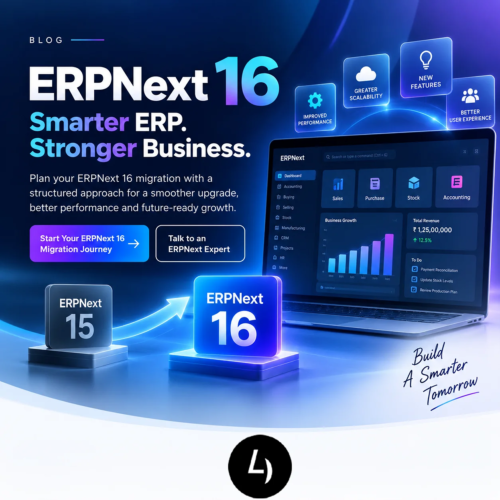
ERPNext 16 Migration: Complete Upgrade Guide
ERPNext 16 marks a major step forward for businesses using the open-source ERP platform. After nearly two years since the previous major release, Frappe announced ERPNext v16 in January 2026 with a focus on stability, security, performance, scalability and real-world workflows.
But for an existing ERPNext customer, a new version raises a more important question than “What is new?”
The question is: “What will it take to move my business safely to ERPNext 16?”
An ERP upgrade can involve much more than updating the application. Custom apps, scripts, integrations, reports, workflows, APIs, accounting processes, manufacturing operations and user permissions may all need to be reviewed.
This ERPNext 16 migration guide explains what businesses should check before upgrading, how the migration process works, what can affect the effort and how to plan a safer transition.
What Is ERPNext 16 Migration?
ERPNext 16 migration is the process of upgrading an existing ERPNext environment to version 16 while preserving and validating the business data, configuration, custom applications and integrations required by the organization.
The exact migration effort depends on the current ERPNext/Frappe version, hosting environment, customizations, third-party applications and business processes.
A proper migration assessment should identify:
- Current ERPNext and Frappe versions
- Installed standard and custom applications
- Custom DocTypes and fields
- Server scripts and automation
- API integrations
- Custom reports and print formats
- Accounting and tax configurations
- Manufacturing and inventory workflows
- User roles and permissions
- Background jobs and scheduled tasks
The objective is not simply to get the new version running. The objective is to make sure the upgraded ERP continues to support the business correctly.
Why Businesses Are Considering ERPNext 16
ERPNext 16 is a major release with improvements across accounting, manufacturing, stock and other business workflows. Frappe highlights 50+ new features along with improvements in performance, stability, scalability and background processing.
Some of the areas receiving attention include:
- Custom financial report templates
- Purchase expense booking
- Automatic closing stock posting
- Consolidated trial balance
- Material Requirements Planning (MRP)
- Inward subcontracting improvements
- Stock reservation for work orders
- Landed cost handling for subcontracting receipts
- POS improvements
- Budgeting improvements
- Print-format improvements
For businesses operating large or complex ERP environments, the attraction is not only new functionality. Stability, performance and maintainability can be equally important reasons to evaluate the upgrade.
ERPNext 16 Migration: What Can Make It Complex?
An ERPNext upgrade can become complex when the system contains significant custom development.
1. Custom applications
ERPNext implementations frequently contain custom apps developed for industry-specific processes. These apps need to be reviewed against Frappe/ERPNext v16 changes.
2. Framework changes
Frappe v16 includes changes to dependencies, navigation, query-builder behaviour, APIs and other framework-level functionality. Custom code may therefore need changes even when the business workflow itself has not changed.
3. APIs and integrations
External applications that call ERPNext APIs should be tested. Frappe’s v16 migration documentation lists API changes, including changes to some whitelisted methods and their HTTP behaviour.
4. Data model changes
Some ERPNext data structures have changed. The v16 migration guide, for example, documents changes involving item-wise tax details and tax withholding structures.
5. Reports and scripts
Custom reports, dashboard charts, JavaScript, server scripts and automation may depend on implementation details that change between major versions.
6. Accounting and compliance
Financial reports, taxes, payment workflows and localization-related configurations should be validated with finance users before production.
ERPNext 16 Migration Checklist
Before migration:
- Record the current ERPNext and Frappe versions
- Document the hosting environment
- Inventory all installed apps
- Identify custom apps and forks
- List custom DocTypes and fields
- Review server scripts and client scripts
- List external APIs and integrations
- Review custom reports and print formats
- Review scheduled jobs and background processes
- Document critical business workflows
- Take and verify a complete backup
- Define acceptance criteria
During the test migration:
- Create a safe test/staging environment
- Upgrade Frappe and ERPNext as required
- Update custom apps
- Resolve migration errors
- Review logs
- Validate database integrity
- Test APIs and integrations
- Test accounting workflows
- Test purchasing and sales
- Test stock and warehouse workflows
- Test manufacturing and MRP
- Test reports and print formats
- Test permissions and roles
- Record defects and retest fixes
Before production:
- Complete user acceptance testing
- Confirm business sign-off
- Freeze high-risk changes
- Verify backup and recovery procedure
- Prepare cutover plan
- Communicate deployment window
- Complete production migration
- Validate critical transactions
- Monitor background jobs and integrations
- Provide post-go-live support
ERPNext 15 to ERPNext 16 Migration
For many businesses, the practical question will be whether to move from ERPNext 15 to ERPNext 16.
The migration path should be based on the exact Frappe and ERPNext environment rather than a generic assumption. The official v16 migration guidance documents changes that developers and administrators should review before upgrading.
Examples include:
- Changes to API methods
- Changes in query-builder behaviour
- Changes in JavaScript loading for reports, dashboard charts and pages
- Removal or refactoring of certain framework components
- Dependency changes
- Data-structure migrations
Businesses with mostly standard ERPNext functionality may have a simpler upgrade path than businesses with extensive custom applications. A technical assessment before the production upgrade is therefore recommended.
What Happens to Custom ERPNext Apps in v16?
Custom apps are one of the most important parts of an ERPNext 16 migration assessment.
A custom app should be reviewed for:
• Python compatibility
• Frappe ORM usage
• Database queries
• Query Builder changes
• API calls
• JavaScript behaviour
• Client scripts
• Server scripts
• Custom DocTypes
• Hooks and events
• Scheduled jobs
• Reports and dashboards
• Print formats
• Permissions and role logic
• Dependencies on other apps
Developers should not assume that a custom application will work unchanged simply because the business process remains the same.
The best practice is to migrate and test custom apps in a controlled environment before production.
ERPNext 16 and Manufacturing
ERPNext 16 is particularly relevant to manufacturing organizations because the release introduces or improves capabilities around material planning, subcontracting and stock reservation.
Frappe highlights a dedicated Material Requirements Planning workflow that combines forecasts, delivery schedules and lead times to help businesses plan what to buy or manufacture and when.
Stock Reservation for Work Orders can also help ensure required materials are reserved for production rather than being consumed elsewhere.
For manufacturers, the migration test plan should therefore cover:
- Item masters and variants
- BOMs
- Workstations
- Work Orders
- Material Requests
- Purchase Orders
- Subcontracting
- Stock reservations
- Warehouses
- Serial and batch tracking
- MRP
- Production costing
- Finished-goods receipt
- Delivery and invoicing
ERPNext 16 and Accounting
ERPNext 16 includes several accounting-focused improvements that make the upgrade relevant for finance teams.
Frappe highlights Financial Report Templates for customizable financial statements, Purchase Expense Booking, Automatic Closing Stock Posting and Consolidated Trial Balance.
Finance teams should validate:
- Chart of Accounts
- General Ledger
- Accounts Receivable
- Accounts Payable
- Tax configuration
- Payment entries
- Bank reconciliation
- Purchase invoices
- Sales invoices
- Stock valuation
- Closing stock
- Financial statements
- Multi-company reporting
- Currency conversion
- Custom accounting reports
The key principle is simple: an upgrade is not complete until the finance team has reconciled critical outputs against the previous environment.
ERPNext 16 Migration Process
A structured migration can be divided into six stages.
Stage 1 — Discovery
Document the current system, applications, customizations, integrations and business-critical processes.
Stage 2 — Compatibility assessment
Review the custom apps and framework dependencies against ERPNext/Frappe v16 requirements.
Stage 3 — Test migration
Perform the upgrade in a staging environment rather than directly on production.
Stage 4 — Customization updates
Fix incompatible code, data migrations, reports, integrations and automation.
Stage 5 — User acceptance testing
Business users validate the workflows that matter most to daily operations.
Stage 6 — Production cutover
Execute the approved migration, validate critical processes and monitor the environment after go-live.
How Long Does an ERPNext 16 Migration Take?
There is no universal migration timeline.
The effort depends on factors such as:
- Current version
- Database size
- Number of users
- Number of installed apps
- Custom application complexity
- Number of integrations
- Custom reports
- Manufacturing complexity
- Accounting localization
- Data quality
- Testing requirements
- Hosting and deployment model
A small, lightly customized implementation may require considerably less effort than a large ERP environment with multiple custom apps and integrations.
For this reason, 4devnet should avoid publishing a fixed number of days as a generic promise. A migration assessment is a better lead-generation mechanism.
Should You Upgrade to ERPNext 16 Now?
ERPNext 16 is currently the major supported version, and Frappe’s support page lists Version 16 with a planned end-of-life at the end of 2029.
That does not mean every organization needs to upgrade immediately.
The decision should consider:
- Current ERPNext version
- Current support status
- Business-critical customizations
- Need for v16 functionality
- Infrastructure readiness
- Integration compatibility
- Internal testing capacity
- Planned business projects
- Risk of remaining on an older version
A migration readiness assessment gives management and technical teams a factual basis for planning the upgrade.
How 4devnet Can Help With ERPNext 16 Migration
ERPNext migration is both a technical and business-process exercise.
4devnet can position its ERPNext migration service around:
- Current-version assessment
- ERPNext 16 readiness audit
- Custom app compatibility review
- Database migration planning
- Custom development updates
- API and integration updates
- Data validation
- Functional testing
- Manufacturing workflow testing
- Accounting validation
- User acceptance testing
- Production deployment
- Post-migration support
For existing ERPNext customers, the strongest offer is a structured “ERPNext 16 Migration Readiness Assessment” rather than a generic sales consultation.
ERPNext 16 Migration FAQs
Is ERPNext 16 a major release?
Yes. Frappe describes v16 as a major release with 50+ new features and improvements across areas including accounting, manufacturing and stock.
Can I migrate directly from ERPNext 15 to 16?
The exact migration procedure depends on your environment and installed applications. Follow the official migration guidance and test the upgrade before production.
Will my custom apps work on ERPNext 16?
They should be reviewed and tested. Framework and API changes can require updates to custom applications.
Will my ERPNext data be preserved?
A planned upgrade is designed to retain business data, but backups, test migrations and validation are essential.
What happens to my custom reports?
They should be included in the migration test plan. Changes in framework behaviour may require updates.
Do I need to upgrade Frappe with ERPNext?
ERPNext v16 is tied to the compatible Frappe framework version. The upgrade should therefore be planned as a complete compatible stack.
How much does ERPNext 16 migration cost?
There is no universal price. Database size, custom apps, integrations, testing and business complexity determine the effort.
Can 4devnet migrate my ERPNext system to v16?
Yes. 4devnet can assess the current environment, identify migration risks, update customizations and integrations, test the upgraded system and support production deployment.
Conclusion: Prepare Your ERPNext Environment for v16
ERPNext 16 is more than another version number. It is a major release focused on stability, security, performance, scalability and business workflows.
For existing ERPNext users, the opportunity is to use the release as a reason to review the health of the current ERP environment.
Before moving to production, assess your applications, customizations, integrations and business processes. Perform a test migration. Validate the results with business users. Then execute the production cutover with a documented rollback and support plan.
If your organization is running ERPNext 14, ERPNext 15 or another environment that needs modernization, now is a good time to assess your ERPNext 16 migration readiness.
Ready to plan your ERPNext 16 upgrade?
Talk to 4devnet about your ERPNext 16 migration requirements.